

Dinner parties don't scale like social products
Dinner parties don't scale the way most social products expect them to. A host isn't broadcasting to followers — they're vouching for specific people around a specific table. A guest isn't browsing a catalog — they're asking to be let in. And the “membership” isn't a fixed subscription tier, it's whatever someone feels the club is worth that month.
We were asked to build the software layer underneath: a place where a host can put together a dinner and invite people, where guests can ask to join a dinner they weren't personally invited to, and where the guest → member → host relationship is something the product actively manages rather than something support sorts out by hand.
Five roles, three independent axes
The instinct is to reach for a single role enum — guest, member, admin, pick one. We didn't, because whether someone has paid to join, whether they're trusted to host, and whether they administer the platform are three independent facts about a person. That model is what lets the product say something different to five people looking at the exact same dinner.
Guest
Browse invited dinners, request to join, limited profile/feed access until invited into the club.
Member
Full dinner feed, unrestricted RSVPs, eligible to be invited to host.
Host
Create & edit dinners, manage the guest list, send SMS blasts, invite guests into the club.
Co-host
Same privileges as a host, scoped to one dinner — trust without a global grant.
Admin
Back-office dashboard: full user & dinner visibility, moderation, private-dinner controls.
One price slider, two ways to pay
Membership is pay-what-you-want — from free up to a $50/month ceiling, set with a single slider. That one decision rippled through the whole integration: instead of a fixed Stripe Price ID, checkout resolves the slider value against a matching pre-configured Stripe Product at confirmation time, so “$15” and “$32” are both first-class subscriptions.
A large share of sign-ups happen on a phone, mid-conversation about a dinner someone's about to walk into — a bad moment to ask for a 16-digit number. So checkout detects Apple/Google Pay via Stripe's Payment Request API and surfaces it as the primary one-tap option, backed by a live, actually-registered merchant-domain verification file.
“Both payment paths — card and Apple Pay — terminate in the exact same subscription-creation call. Apple Pay isn't a parallel special-cased flow; it's just a different way of arriving at the same Stripe payment method.”
Nothing forgets to remind anyone
A dinner-club product lives and dies by its reminders. Forget to nudge a host to invite guests into the club and the growth loop stalls; forget to remind a guest 48 hours out and you get a no-show at someone's table. None of that can depend on someone remembering to run a script.
Every time-based touchpoint runs through a BullMQ job queue backed by Redis, not a cron poller. Jobs are scheduled with deterministic IDs keyed to the dinner, so when a host reschedules, the pipeline cancels and re-creates exactly the right reminders. Failed jobs retry with exponential backoff, and a dashboard gives the team live visibility into what's running, stuck, or failed.
Notifications span three channels — in-app (with a live unread badge), SMS (including a host “text blast” capped at 450 characters), and email (transactional plus hand-built calendar invites for Google, Outlook and Apple) — all fed by the same pipeline, so a reminder is authored once and fans out to whichever channels fit.
A back office that earns its keep
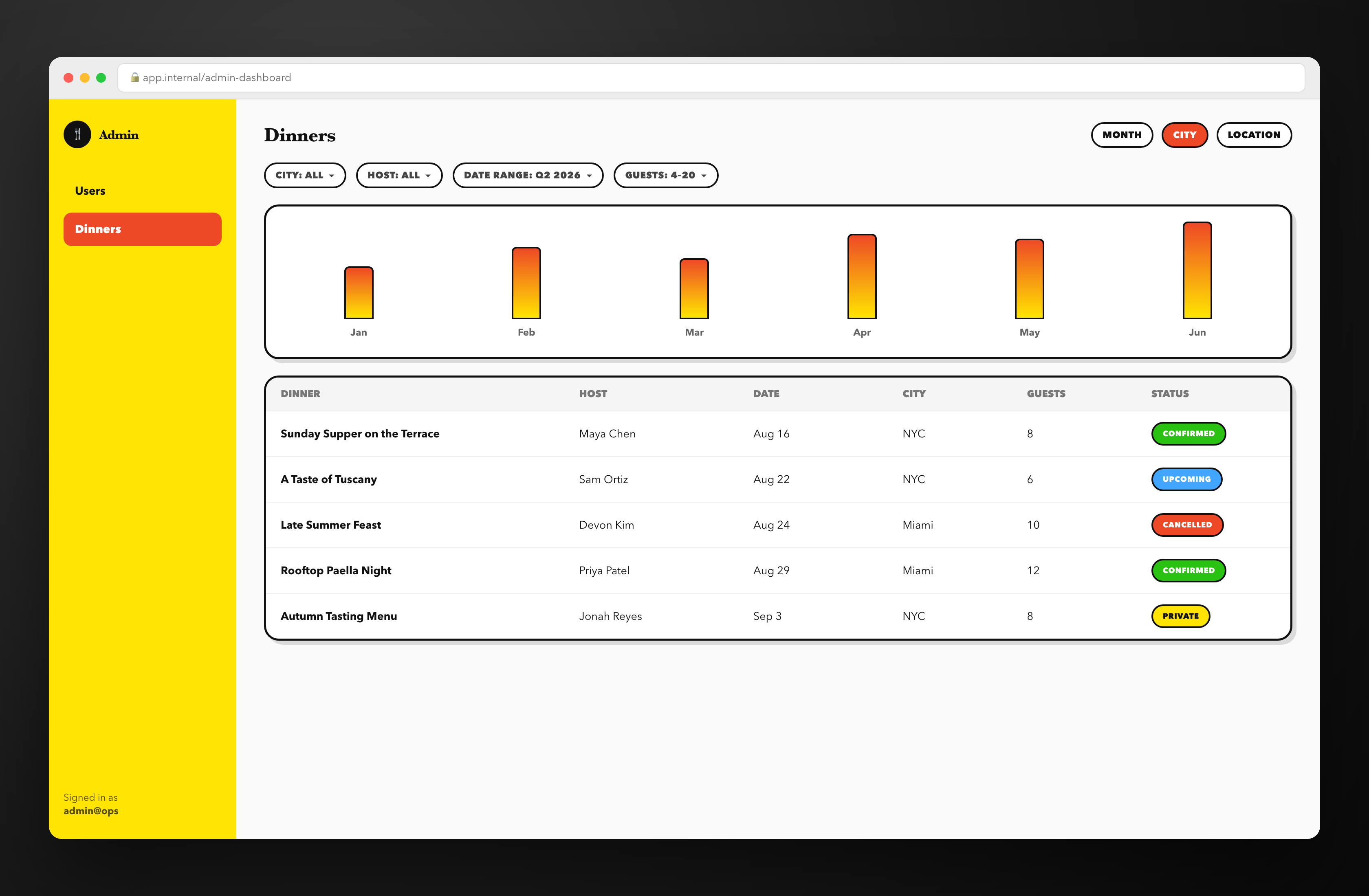
The back office isn't an afterthought — it's the view an operator needs when a dinner needs a second look, a host needs promoting, or someone needs to understand how the club is trending city over city. Filterable by city, host, date range and party size, with the same dinner data the public feed uses, minus the parts of the role model that hide things from the public.
Instrumentation is deliberately lean: PostHog for product analytics (a centralized, named event registry), Microsoft Clarity + Google Analytics in production for session replay and traffic, and Intercom in staging only — swapped out the moment a build reaches production so the support widget never becomes noise for a real guest.
Being straight about where we are
Every role check described here currently lives in the frontend as conditional rendering — the right way to build the experience, but not on its own a security boundary. The API layer doesn't yet independently verify who's calling it. The role model is real, shipped, and does real product work; the next milestone is moving those same checks (host owns this dinner, admin is actually an admin) down onto the server — pushing the boundaries down a layer, not rethinking them.